Controlled documents library block
This block is simply the controlled documents library with all it’s functionality, available as a block you can place on any publishing page or make available through a tab in Microsoft Teams. The block is available in Omnia 7.7 and later.
Just be aware that the block will need the full page width.
For more information about the controlled documents functionality, see: Working with documents
Note! Permissions works differently, see the comment below.
Settings
The following settings are available for the block:
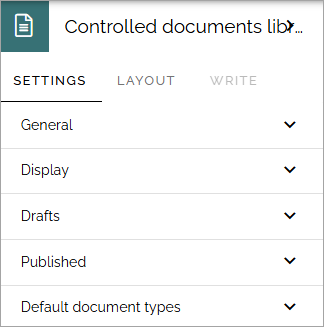
The settings are exactly the same, and works the same, as described on this page: Controlled documents library settings
Permissions described on that page do not apply when using the the controlled documents library as a block, the page’s permissions apply.
See this page for page permissions: Edit permissions for a page
Layout and Write
The WRITE tab is not used here. The Layout tab contains general settings, see: General block settings