Setup reusable sections
In Omnia 7.11 and later, you can use reusable sections to reuse content across pages.
Prerequisite
Before you start, make sure “Enable reusable content” is turned on in Publishing app settings.
Set up a reusable section
Follow these steps:Follow these steps to setup a reusable section:
Create an enterprise property of type Data.
Create a page type.
Add a section of type Reusable section.
Map it to the property from step 1.
Publish the page type.
Create a source page using the page type from step 2.
Add blocks to the reusable section.
Publish the page.
Create a target page using the same page type.
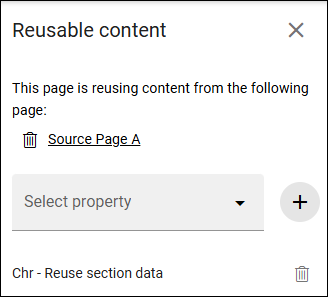
Open reusable content configuration.
Select the source page from step 3.
add the property from step 1.
Publish the page.
When content in the reusable section on the source page is updated and published, the same content is reflected on the target page.
Verification
To confirm setup is correct:
Edit content in the source page reusable section.
Publish the source page.
Open the target page and verify the updated content is shown.
More information
More information on reusable content is found here: Reusable content