Omnia
  • Admin settings
    • Tenant Settings
    • Business profile settings
      • Announcements
      • Communities settings
      • Features (Business Profile)
      • Forms
      • Notification panel
      • Omnia Feed - Business profile settings
      • Permissions for a business Profile
      • Publishing settings
      • Search
      • Settings
      • Shared links
      • Teamwork settings
      • User Management - business profile
      • Workspace
        • Settings
        • Home page for Workspace
        • Header for Workspace
        • Navigation bar
        • Footer
    • App settings
  • Blocks
  • General assets and options
  • Pages and page navigation
  • Working with documents
  • Working with processes
  • Working with events
  • Using communities
  • Using newsletters
  • Using Omnia Feed
  • User options
  • Roles and permissions in Omnia
  • Setup
  • Accessibility
  • Switch to site selected
  • About SharePoint CSP enforcement compatibility
  • SharePoint Server 2019 – End of Support and Omnia Testing Policy Update
  • Cookies consent information
  • MCP client integration
  • Release notes
  • In Development
  • Contribute to this documentation
Omnia
  • Admin settings
  • Business profile settings
  • Workspace
  • Footer
  • View page source

Footer

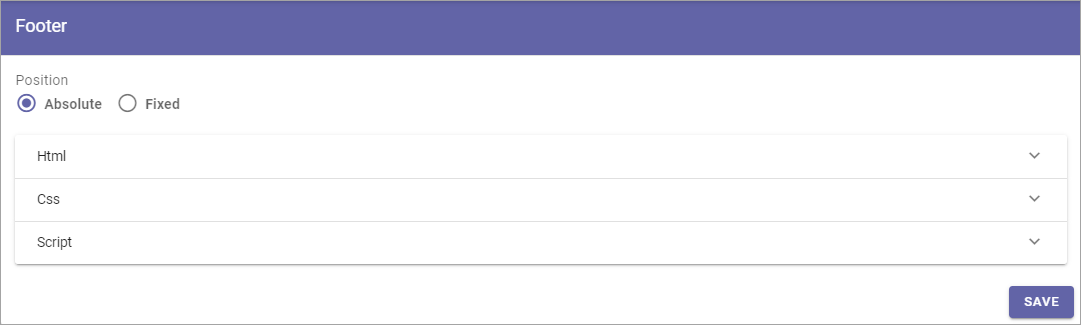
Here you can edit footer settings for the business profile’s workspace.
../../../../_images/workplace-footer-new.png

Decide whether the position of the footer should be positioned at the bottom of the page (Absolute) or the bottom of the screen (Fixed). Then create the footer using HTML/CSS and Javascript.

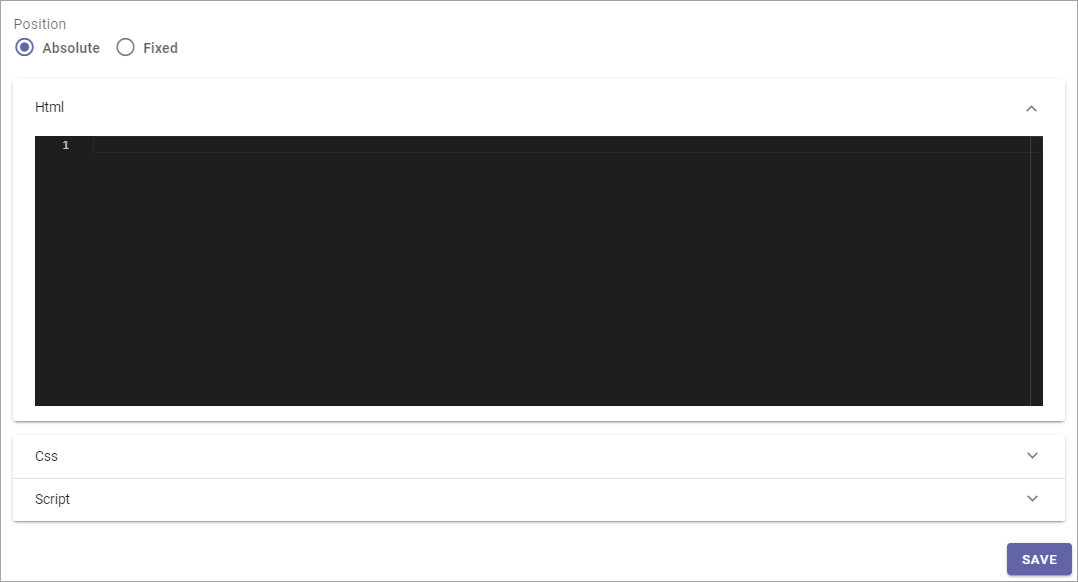
As an example, here’s how it looks when you select HTML:
../../../../_images/footer-html-new.png

Note! In Omnia 7.8 and later, this footer can be enabled in connected SharePoint sites. It’s a feature you can active for the apps where you want this. For more information, see: App settings

Previous Next

© Copyright 2026, Omnia Digital Workplace AB. Last updated on Jun 22, 2026.

Built with Sphinx using a theme provided by Read the Docs.